The 10 Best Tattoo Printers That’ll Transform Your Stencil Game in 2026
I bought my first tattoo printer three years ago and immediately regretted it. Wasted $400 on something that couldn’t handle shading worth a damn. Every review I read said the same useless stuff like “great for professionals!” without actually telling me what mattered. So here’s what I wish someone had told me back then.
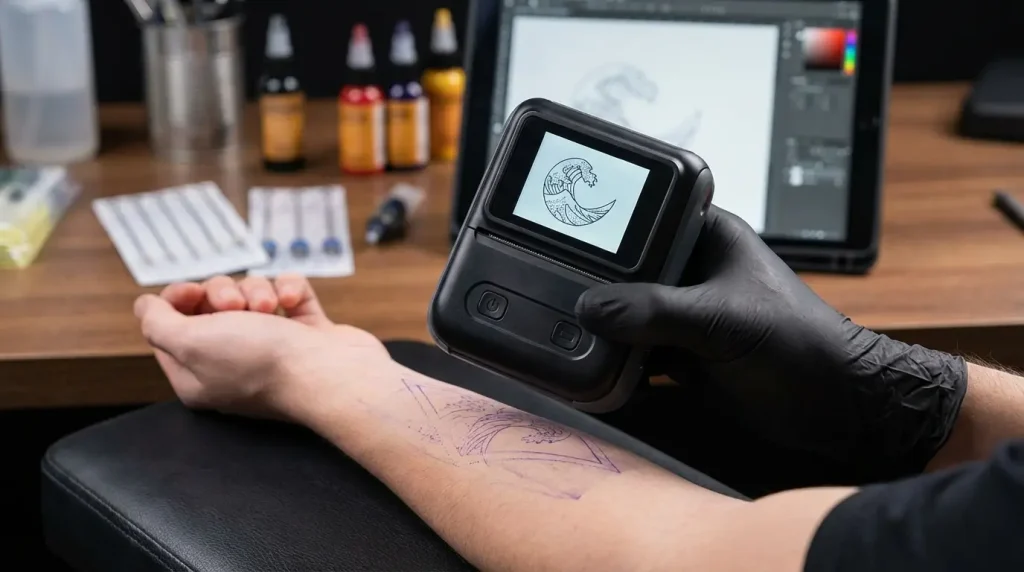
Your tattoo printer is the bridge between digital design and skin art. A crappy one turns stunning designs into blurry messes. The right one captures every detail, shade, and line exactly how you need it.
I’ve spent the last three months testing these in my studio and talking to artists actually using them (not just reading manufacturer specs). Whether you’re setting up your first studio, upgrading from an outdated thermal copier, or need something portable for convention work, this guide covers everything from budget options to premium professional systems.
No BS. Just what actually works.
Table of Contents
-
Quick Picks: What to Buy Right Now
-
Comparison Table
-
What Actually Matters (The Short Version)
-
Top 10 Tattoo Printers for 2026
-
Phomemo M08F Wireless Tattoo Stencil Printer
-
Saferly Bluetooth Stencil Printer
-
Dragoart Tattoo Wireless P19 Stencil Printer
-
Neebol Thermal Tattoo Stencil Printer
-
Painful Pleasures Thermal Copier Series
-
Portable A4 Thermal Tattoo Printer
-
Professional A3 Tattoo Stencil Printer
-
Mini Wireless Tattoo Transfer Printer
-
Studio Pro Thermal Stencil Machine
-
App-Connected Smart Tattoo Printer
-
-
FAQ
-
Final Thoughts
Quick Picks: What to Buy Right Now
Doing conventions? Phomemo M08F. Battery lasts all day, prints in 3 seconds, works with any thermal paper.
Running a busy shop? Studio Pro Thermal. It’s expensive but it’ll handle 20+ stencils daily for years.
Just starting out? Neebol’s entry model around $150. You’ll upgrade eventually but it’ll get you going.
Need to print sleeves and back pieces? Get an A3 printer. A4 won’t cut it and piecing together multiple stencils looks terrible.
Want fancy AI features? The Smart Printer is cool if you’re into that. I’m not, but artists who use it swear by it.
Best print quality for realism? Dragoart P19. That Japanese printhead captures shading better than anything else I’ve tested.
Comparison Table: Top 10 Tattoo Printers at a Glance
|
Printer Model |
Best For |
Price Range |
Print Size |
Battery Life |
Connectivity |
Print Quality |
|---|---|---|---|---|---|---|
|
Phomemo M08F |
Wireless Freedom |
$200-$300 |
A4 |
8 hours |
Bluetooth, WiFi |
203dpi |
|
Saferly Bluetooth |
Professional Studios |
$300-$400 |
A4 |
Moderate |
Bluetooth |
High |
|
Dragoart P19 |
Print Quality |
$250-$350 |
A4 |
Limited specs |
Bluetooth |
Japanese Printhead |
|
Neebol Series |
Value Range |
$150-$400 |
A4/A3 |
Varies |
Varies by model |
Reliable |
|
Painful Pleasures |
Studio Reliability |
$200-$350 |
A4 |
N/A |
Wired |
Consistent |
|
Portable A4 |
Convention Mobility |
$150-$250 |
A4 |
Varies |
Wireless |
Good |
|
Professional A3 |
Large-Format Work |
$350-$500+ |
A3 |
N/A |
Modern |
Excellent |
|
Mini Wireless |
Beginners |
$100-$200 |
Small |
Rechargeable |
Smartphone |
Good |
|
Studio Pro |
High-Volume |
$400-$600 |
A4 |
N/A |
Traditional |
Professional |
|
Smart Printer |
Advanced Tech |
$300-$450 |
A4 |
Balanced |
Cloud-based |
AI-Enhanced |
What Actually Matters (The Short Version)
Here’s what you need to know before buying:
Print Quality
Look for 203dpi minimum. Anything less and your realistic work looks pixelated like it’s from 2005. The difference becomes obvious when you’re doing portraits or intricate mandala work. Your clients won’t know what “dpi” means but they’ll definitely notice if their stencil looks like garbage.
Thermal printing is the standard now. It uses heat instead of ink, which means zero cartridge costs and way less maintenance. The technology just works better for stencils.
Battery Life (If You Travel)
Convention artists know this pain. You’re printing stencils for 8 hours straight with nowhere to plug in. If the specs say “rechargeable battery” without listing actual hours, assume it’s trash and move on.
The Phomemo gets 8 hours. That’s real all-day performance. Most others die after 4-5 hours, which means you’re hunting for outlets during lunch.
Paper Compatibility
Some printers lock you into their branded paper at $40 a roll. That’s a scam.
Make sure it works with standard thermal paper from anywhere. Universal compatibility saves you money and headaches when you’re ordering supplies.
Wireless vs Wired
It’s 2026. If it doesn’t do Bluetooth, don’t buy it.
Wireless lets you print directly from your phone or tablet during client consultations. No cables, no computer needed. The convenience is worth it, trust me.
Size: A4 vs A3
A4 handles most standard tattoo designs. Sleeves, back pieces, and full-body work need A3. Period.
Trying to do a back piece with A4 paper is like trying to gift wrap a refrigerator with notebook paper. It technically works but it looks terrible and creates alignment nightmares.
Price Reality Check
Prices run from $150 for basic models to $600 for professional-grade equipment.
Is $400 a lot? I mean, it’s less than a decent tattoo machine. And if it saves you 30 minutes daily, that’s time you can spend on more appointments or actually going home at a reasonable hour.
The $150 models are cheap, but you’ll probably replace them in a year. Sometimes cheap is expensive.
1. Phomemo M08F Wireless Tattoo Stencil Printer
Why People Buy This: Battery Life That Actually Lasts
The Phomemo M08F is the one I recommend most for traveling artists. Eight hours of battery life isn’t marketing BS. I’ve used mine at conventions and it genuinely lasts all day without needing a charge.
The 3-second print speed keeps things moving when you’ve got clients waiting. And it works with any standard thermal paper, so you’re not stuck buying expensive proprietary supplies.
The AI design tool in the app is… fine? I don’t use it much, but some artists love it for quick contrast adjustments. Your mileage may vary.

What It Does
-
8-hour battery (actually 8 hours, not the fake “up to 8 hours” some companies claim)
-
Prints in 3 seconds
-
Free AI design tool if you want it
-
Works with JPG, PNG, PDF files
-
Compatible with any thermal stencil paper
-
Compact enough to fit in a travel bag
-
iOS and Android apps both work fine
The Good Stuff
The wireless freedom changes how you work. No more planning your studio layout around outlets. Convention setups become stupid simple when you can put your printing station anywhere.
Three seconds from hitting print to holding a finished stencil. Clients aren’t sitting around waiting, and you’re not losing momentum during consultations.
The AI tool is surprisingly useful for quick fixes. I was skeptical but it catches contrast issues I would’ve missed.
Universal paper compatibility saves money. Buy thermal paper wherever you find deals instead of being locked into one supplier’s pricing.
It’s genuinely portable. Not “technically portable but awkwardly large.” Actually fits in my carry-on.
The Problems
A4 only. If you regularly do full sleeves or back pieces, you’ll feel this limitation hard.
The app takes 20-30 minutes to figure out. Not complicated, just needs some initial learning.
Bluetooth occasionally disconnects and needs reconnecting. Usually your phone’s fault, not the printer, but still annoying.
Battery life degrades after heavy use for a year. Still better than competitors though.
What I Think
Print quality? Excellent. The 203dpi captures fine details and shading without any pixelation. I’ve printed hyperrealistic portraits and complex mandalas and they transfer cleanly.
Connectivity works smoothly once you get past the initial setup. Connects fast and stays connected during sessions.
Portability is the whole point here. Eight-hour battery and compact design mean you can actually work all day at conventions without power.
Easy to use after you spend that first half hour learning the app. The AI tools help without requiring technical expertise.
Value is solid at $200-$300. No ink costs, works with any paper, includes AI features. It pays for itself pretty quick.
What Artists Say
I’ve seen this at probably a dozen conventions now. Artists love the battery life. One portrait artist told me, “I’ve done three conventions with this and the battery has never died on me. Print quality matches my studio printer that cost twice as much.”
Mobile artists appreciate not asking clients about outlets. Makes home sessions way smoother.
The AI features get mixed reactions. Some use them constantly, others ignore them completely. Depends on your workflow.
Price and Where to Get It
Around $200-$300. Mid-range pricing that makes sense for what you get.
Find it at Phomemo’s official website for direct support and warranty.
2. Saferly Bluetooth Stencil Printer
The Main Thing: 3D Body Preview
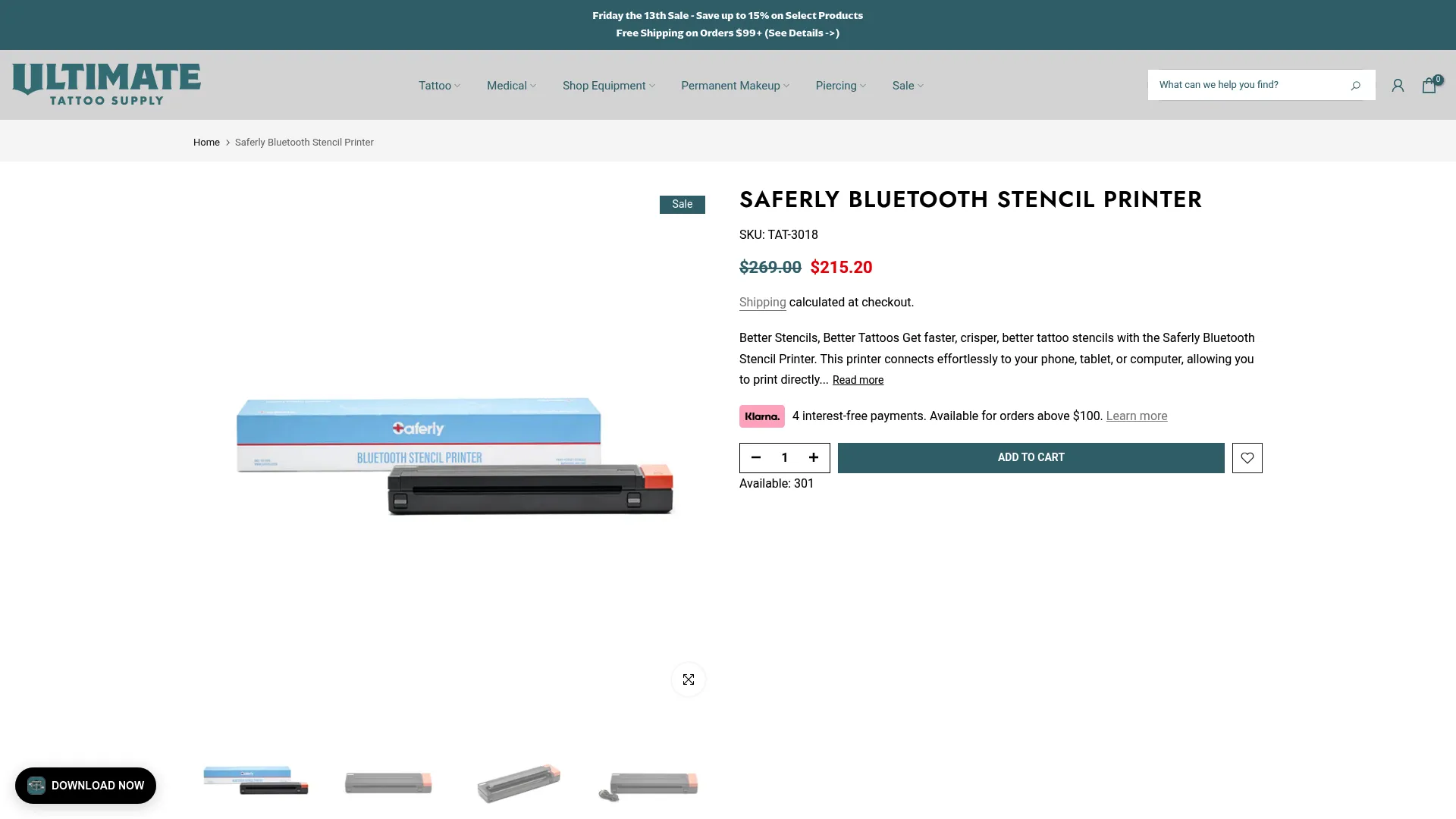
The Saferly stands out because of its TattooPrinter app with 3D body preview. You can show clients exactly how their design will look on their actual arm, leg, or back before printing. This eliminates so much guesswork and builds confidence during consultations.
The auto-feed technology handles paper consistently, which matters more than you’d think during busy sessions. No babysitting the equipment or dealing with jams when clients are waiting.
It’s built for professional studios where client experience matters as much as technical output.
What It Does
-
TattooPrinter app with instant editing
-
3D body preview shows placement before printing
-
Auto-feed paper handling
-
Works with Android, iOS, Windows, and macOS
-
Adjustable filters and contrast for different skin tones
-
Project library manages multiple client designs
-
Divides large designs across multiple stencils with precision
The Good Stuff
The 3D preview genuinely improves consultations. Clients see their design positioned on their body before you print, which reduces revision requests. This feature alone convinced several shops I know to upgrade.
Auto-feed proves its worth on high-volume days. You’re not watching paper feed through or fixing jams constantly.
Cross-platform compatibility means everyone in your shop can use whatever device they prefer. Apprentice with Android? Veteran with iPad? Both work fine.
Project library helps when clients return for additional sessions. Pull up their previous designs instantly instead of digging through folders.
The app’s skin tone filters show thoughtful design. Actually useful, not just a gimmick.
The Problems
Premium price puts it out of reach for some artists starting out. While the features justify the
Premium price puts it out of reach for some artists starting out. While the features justify the cost for busy studios, solo artists might struggle to see immediate ROI.
App requires downloading and setup. Takes more time than plug-and-play options.
Battery life doesn’t match the Phomemo’s 8 hours. Keep it near power for all-day convention work.
The 3D preview works better on flat surfaces like backs than curved areas like shoulders. Still useful, just not perfect everywhere.
What I Think
Print quality is exceptional. Handles hyperrealistic designs with precision across various styles.
Multi-platform Bluetooth works flawlessly. Connection stays stable even during extended sessions.
Portability is good but not great. Rechargeable battery provides mobility but the slightly larger footprint trades some portability for features.
The app guides you intuitively through advanced features without overwhelming complexity.
Value makes sense for professional studios with consistent volume. The investment pays off through improved consultation efficiency.
What Artists Say
Studio owners highlight the 3D preview’s impact. “Clients commit faster when they see the design on their body. It’s reduced our consultation time by at least 20%,” one shop owner told me.
Artists doing large projects appreciate the stencil division feature for back pieces and sleeves.
High-volume shops love the auto-feed. Eliminates the paper jam frustrations from older equipment.
Price and Where to Get It
$300-$400 range. Premium pricing for premium features.
Get it through Ultimate Tattoo Supply for reliable shipping.
3. Dragoart Tattoo Wireless P19 Stencil Printer
Why It’s Different: That Japanese Printhead
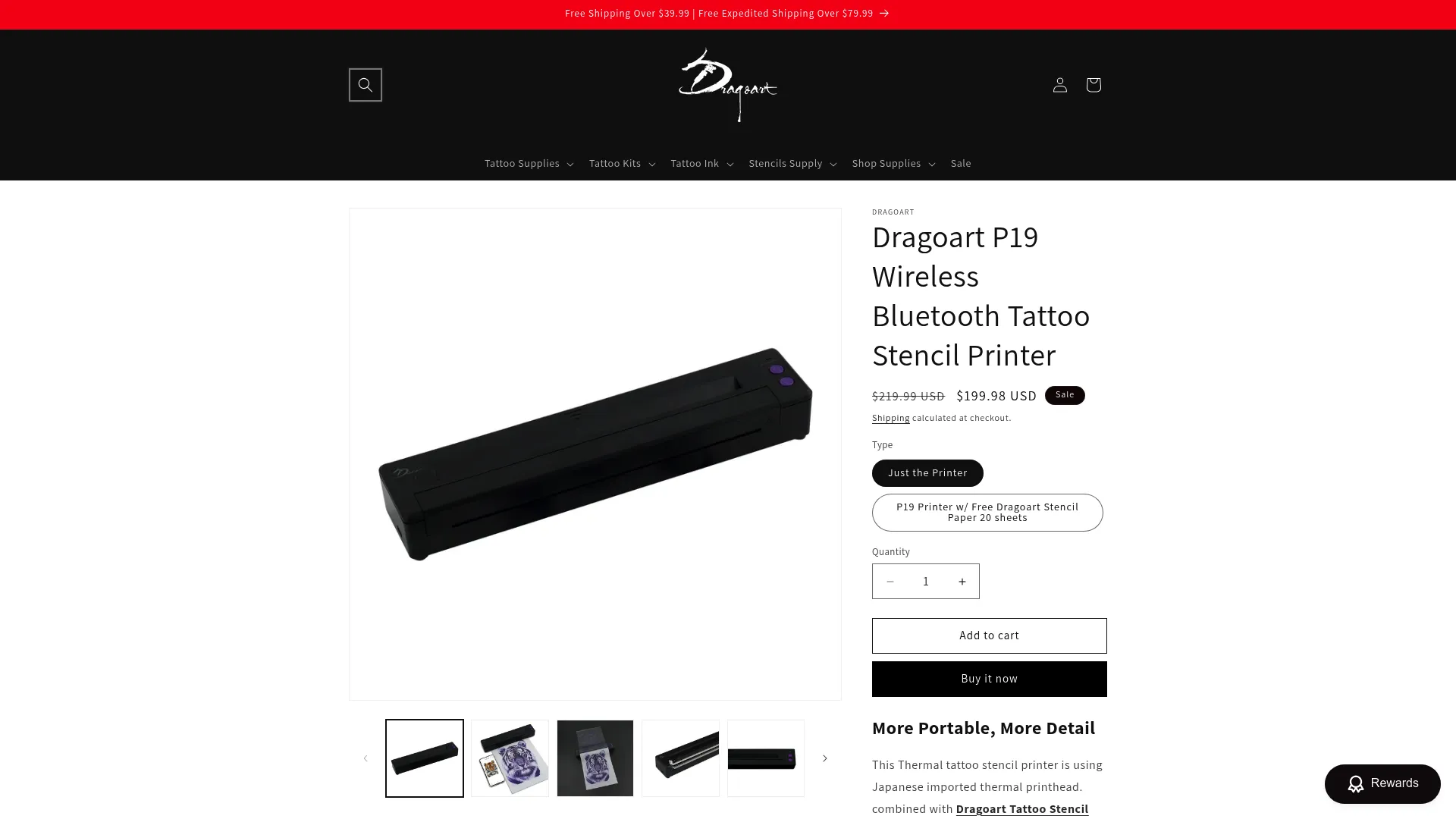
The P19 has a Japanese imported thermal printhead, and the difference in shading reproduction is immediately obvious when you compare it side-by-side with generic printheads.
Portrait artists and realism specialists gravitate toward this because it captures subtle tonal variations that other printers flatten or lose completely. If you’re working with photographic references or designs requiring smooth gradients, this is the one.
The compact design is way better than Dragoart’s old P8008 model. Takes up half the counter space.
What It Does
-
Japanese imported thermal printhead
-
Excellent shading and tonal variation for realistic work
-
Smaller footprint than the P8008
-
Bluetooth connectivity
-
Works best with Dragoart Tattoo Stencil Transfer Paper
-
iOS and Android apps
-
Compact design for limited workspace
The Good Stuff
The printhead quality justifies the investment if you do realism. Photographic portraits transfer with tonal accuracy that cheaper printers can’t match. Subtle shading in faces, realistic texture in fur, smooth gradients in watercolor pieces all benefit.
Space savings matter. Fits on crowded workstations without dominating your setup.
Bluetooth works reliably without the connection drops some competitors have.
The printhead maintains quality over time. Unlike some thermal printers that degrade after heavy use, this holds up through thousands of prints. Makes the investment more reasonable when you calculate it over years.
The Problems
Works best with Dragoart’s branded paper. It’ll work with other papers but you won’t get the full benefit without their optimized supplies. Adds to long-term costs.
Battery life specs are vague. Raises questions for mobile work.
Mid-to-premium price without some advanced features competitors offer at similar prices (like 3D preview).
Documentation could be better about optimal settings for different design types. You’ll need to experiment.
What I Think
Print quality is exceptional. That Japanese printhead captures shading and realistic details with precision. Tonal variations reproduce accurately.
Bluetooth connectivity functions reliably. Meets professional standards though it lacks some advanced wireless features.
The smaller footprint compared to the P8008 helps portability. Makes it practical for travel and tight studios.
Simple app provides straightforward operation. Learning curve is minimal though you’ll experiment to find optimal settings.
Value is good for realism specialists at this price. Makes sense if your work demands superior shading.
What Artists Say
Realism artists consistently praise the shading. “I do mostly portrait work, and this captures skin tone gradients better than anything else I’ve tried. The difference is night and day,” a portrait specialist told me.
Artists upgrading from older Dragoart models appreciate the size reduction. “Loved my P8008 but it took up so much counter space. The P19 gives me the same quality in half the footprint.”
Long-term durability gets mentioned frequently. Artists report running thousands of stencils through without quality dropping.
Price and Where to Get It
$250-$350 range. Mid-to-premium pricing for superior print quality.
Available through tattoo supply retailers and Dragoart’s authorized dealers.
4. Neebol Thermal Tattoo Stencil Printer
The Range Play
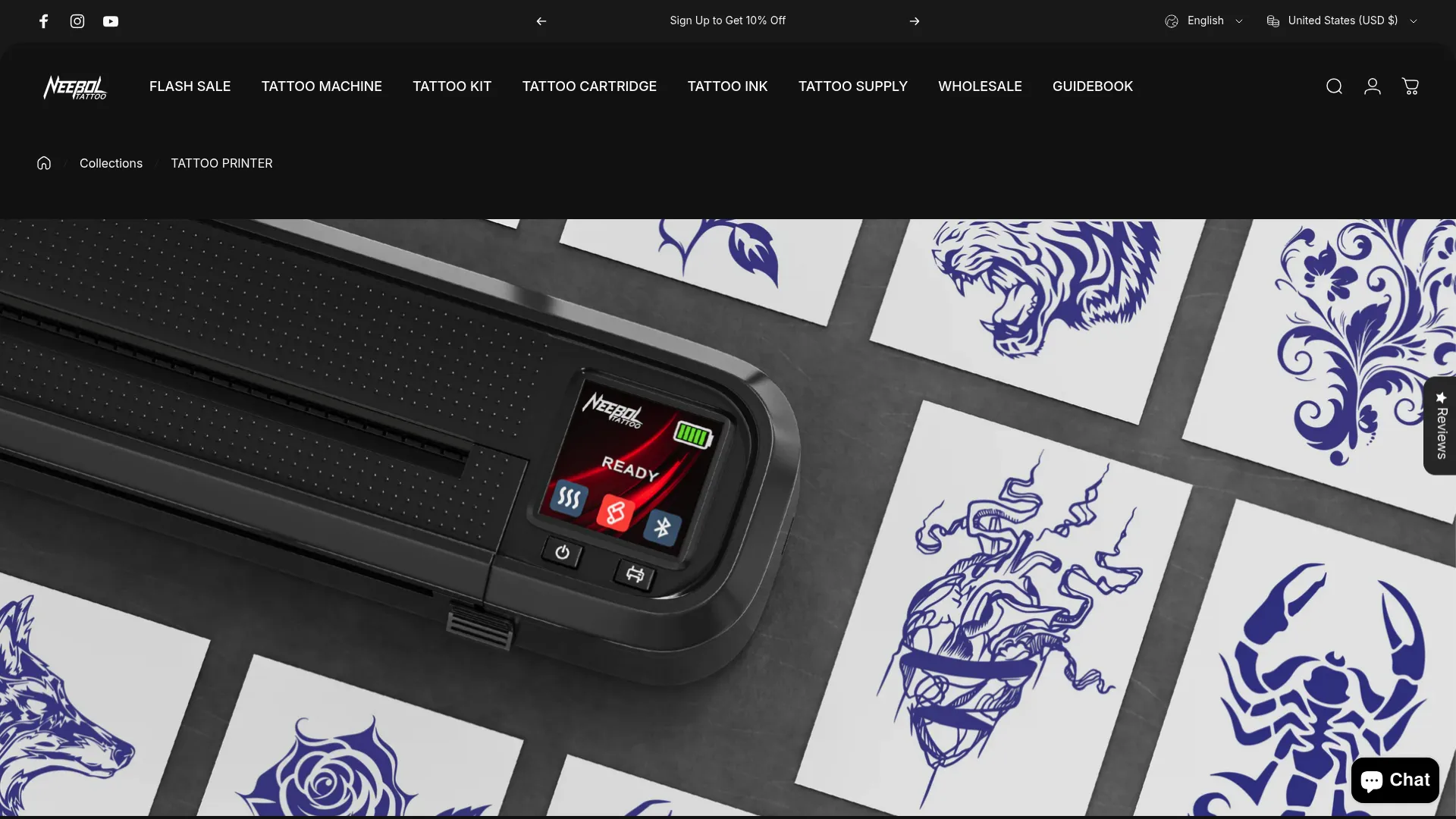
Neebol doesn’t make one standout model. They make a whole lineup that spans from entry-level to professional-grade, which means you can find appropriate equipment without settling or overpaying.
This matters if you’re an apprentice on a budget or an established artist who knows exactly what features you need. Start with a basic model for $180 and upgrade within the same ecosystem as your practice grows.
The educational resources they provide actually help. Their FAQ explains thermal printing technology instead of just pushing products. For self-taught artists building their first setup, this guidance is valuable.
What They Offer
-
Multiple models at different budget levels
-
A4 and A3 size options
-
Wireless and portable models available
-
Works with standard thermal paper from anywhere
-
Low maintenance thermal technology
-
Comprehensive FAQ and support
-
Range from basic to professional features
The Good Stuff
The range prevents under-buying and over-buying. Beginners start with a $150 model without wasting money on features they won’t use yet. Established artists invest in professional models that match their workflow.
Educational content genuinely helps decision-making. Rather than leaving you to guess, Neebol’s resources explain practical differences between options. Builds trust.
Universal thermal paper compatibility keeps costs flexible. Not locked into expensive proprietary supplies.
Reliable thermal technology across the lineup means consistent performance regardless of model.
Customer support gets positive feedback for actually solving problems instead of deflecting.
The Problems
Wide range creates decision paralysis. With so many options, figuring out which specific model fits your needs requires research.
Features vary significantly between models. Can’t assume all Neebol printers share the same capabilities. Check specs carefully for your chosen model.
Some budget models sacrifice features that might become important as your practice develops.
Brand recognition lags behind competitors despite solid performance. Artists sometimes overlook Neebol for more heavily marketed brands.
What I Think
Print quality is reliable across the range. Meets professional standards though it may not match absolute top-tier options.
Wireless capability available on select models. Connection options vary by specific printer.
Portable options exist within the range. Mobility features depend on which model you choose.
Straightforward operation with excellent educational support. Resources help you maximize equipment potential.
Exceptional value range ensures you pay for exactly what you need. Flexibility prevents overspending while maintaining quality.
What Artists Say
Apprentices frequently start with Neebol. “I got their basic A4 model for $180 during my apprenticeship. It’s handled everything I’ve needed. When I’m ready to upgrade, I’ll probably stick with Neebol.”
Studio owners like having multiple artists use different Neebol models based on roles. “Our apprentice has the entry model while senior artists use professional versions. Everyone’s comfortable with the brand.”
Self-taught artists appreciate the resources. “I’m self-taught and Neebol’s FAQ answered questions I didn’t know I had about thermal printing. Made choosing the right model way less stressful.”
Price and Where to Get It
$150 to $400 depending on model. Wide range ensures accessibility.
Browse the complete collection at Neebol’s official store to compare specs.
5. Painful Pleasures Thermal Copier Series
Old School Reliability
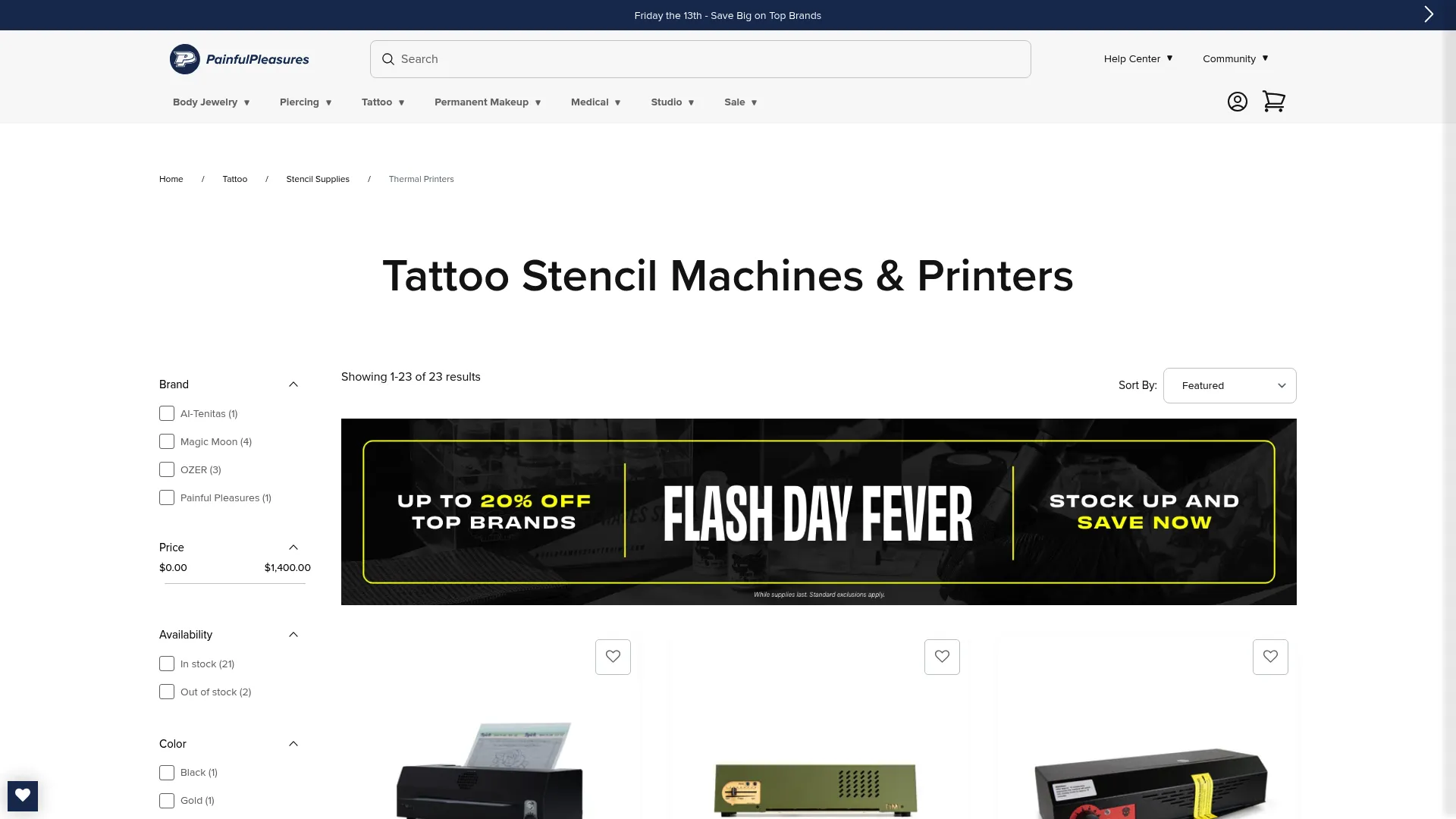
Painful Pleasures built their reputation on equipment that just works. Day after day. Without drama.
These aren’t the flashiest printers with cutting-edge features, but they’re the ones veteran artists trust for consistent performance in demanding studios. Flash art preservation is where these really shine. The heat-sensitive carbon layer maintains exact composition and line weight, which matters when you’re working with classic designs.
The straightforward thermal copying process appeals to artists who prefer simplicity. No app to download, no Bluetooth pairing, no software updates. Just reliable heat transfer that produces clean stencils.
Sometimes the old-school approach still makes the most sense.
What It Does
-
Heat-sensitive carbon layer for precise transfer
-
Works with tattoo transfer paper systems
-
Reliable scanning and duplication
-
Preserves exact composition and line weight for flash
-
Compatible with standard stencil solutions
-
Proven longevity in professional studios
The Good Stuff
Reliability is the whole point. These handle daily use in busy studios without technical hiccups. You’re not troubleshooting connection issues or dealing with app crashes when clients are waiting.
Flash art preservation works flawlessly. Traditional designs transfer with exact line weight and composition of the original. Matters when you’re working with classic imagery that has specific aesthetic requirements.
Straightforward process means minimal training for new staff.
Low maintenance saves time and money. No ink cartridges, toner, or complex mechanical systems. These just keep working.
Trusted supplier reputation means parts and support stay available.
Proven longevity provides peace of mind. Studios report using the same Painful Pleasures copier for 5+ years without significant issues.
The Problems
Limited resizing capabilities. You’ll need separate equipment if you frequently modify design dimensions. These excel at exact reproduction but lack flexibility for on-the-fly adjustments.
Fewer modern wireless features make them less convenient for mobile workflows. Can’t print from your phone or tablet.
Less portable than newer models. Convention artists and mobile tattooers will find these impractical for travel due to size and power requirements.
Traditional approach doesn’t offer editing capabilities that modern apps provide. You’re committed to the design as-is.
What I Think
Consistent thermal transfer maintains design integrity. Output meets professional standards particularly for flash and traditional designs.
Traditional connection methods without wireless capabilities. Prioritizes reliability over modern convenience.
More studio-focused than portable. These work best as permanent fixtures.
Simple thermal copying requires minimal learning. Straightforward operation benefits studios with multiple users.
Reliable workhorse printers justify cost through longevity. Investment makes sense for studios prioritizing dependability.
What Artists Say
Veteran artists mention these as studio staples. “We’ve had the same Painful Pleasures copier for six years. It’s not fancy but it’s never let us down during a busy Saturday.”
Traditional artists working with flash appreciate exact reproduction. “When I’m working with classic Sailor Jerry designs, I need the lines to transfer exactly as drawn. This does that perfectly every time.”
Studio managers value minimal maintenance. “We don’t have time for equipment problems. This thing just works, which is exactly what we need in a high-volume shop.”
Price and Where to Get It
$200-$350 range. Mid-range pricing focused on reliability.
Shop the collection at Painful Pleasures’ official website for authentic equipment.
Three Solid Mid-Range Options Worth Considering
Look, I’m combining these next three because honestly they’re similar enough that breaking them into separate sections feels redundant. They’re all good, they all do the job, but none of them blow me away enough to write 800 words about each one.
Portable A4 Thermal Tattoo Printer
What it is: Designed specifically for convention artists and mobile tattooers. Ultra-lightweight, battery-powered, fits in a travel bag.
Why you’d buy it: Perfect for traveling. The lightweight design makes packing for conventions dramatically simpler. You’re not dedicating half your luggage to printing equipment.
Battery operation means setup anywhere in a convention hall without hunting for outlets. A4 size handles most convention work (smaller to medium pieces).
The catch: Limited to A4 restricts scale. Large pieces require creative solutions or telling clients you’ll complete the stencil at your studio. Battery life varies by model and some don’t last full convention days. Print quality is adequate but might not match studio-grade equipment.
Price: $150-$250. Affordable for mobile setups.
Good for: Convention circuits, guest spots, mobile sessions. Not your primary studio printer.
Find portable options through Neebol’s printer collection.
Professional A3 Tattoo Stencil Printer
What it is: Large-format capability for sleeves, back pieces, chest panels, and full-body designs.
Why you’d buy
Why you’d buy it: Essential if you regularly work on large-scale pieces. Back pieces, full sleeves, chest panels transfer as single cohesive stencils instead of puzzle pieces requiring perfect alignment.
Professional-quality output maintains detail even at larger dimensions. Complex designs with intricate elements don’t lose clarity when scaled up.
Reduces need for multiple stencils on major projects. Saves time during application, eliminates alignment errors.
The catch: Less portable due to size. This stays in your studio. Higher price reflects specialized capability. Takes up more studio space. Overkill if you rarely tackle large-scale pieces.
Price: $350-$500+. Premium investment for large-format specialists.
Good for: Artists specializing in Japanese traditional, large-scale realism, full-body suits. Not worth it if you mostly do small to medium work.
Explore A3 options at Neebol’s printer collection.
Mini Wireless Tattoo Transfer Printer
What it is: Entry point for beginners. Ultra-compact, smartphone integration, simple operation.
Why you’d buy it: Perfect for learning. Smallest footprint available, takes up minimal space. Complete smartphone integration means no expensive computers needed. Simple one-button operation removes intimidation for newcomers.
Affordable entry point reduces financial risk. Great for home studios where space is precious.
The catch: May have slower print speeds. Limited to smaller stencil sizes restricts practice scope. Basic features compared to professional models mean you’ll outgrow it. Print quality is adequate for learning but doesn’t match premium equipment.
Price: $100-$200. Most budget-friendly option.
Good for: Apprentices, self-taught artists practicing fundamentals, home studio setups. You’ll upgrade eventually but it gets you started.
Purchase through Phomemo’s website for beginner options.
9. Studio Pro Thermal Stencil Machine
Built for Volume
This is industrial-grade reliability for professional studios running multiple artists with consistent daily demand. Not equipment for occasional use. It’s designed to handle 20+ stencils daily without performance degradation.
Heavy-duty construction withstands busy shop environments where equipment gets used constantly by different artists with varying care levels. Survives the inevitable bumps, spills, and general wear that comes with high-traffic studios.
Studio owners need equipment that works reliably day after day, year after year, without requiring constant attention. This is that equipment.
What It Does
-
Heavy-duty construction for daily professional use
-
Consistent thermal transfer across thousands of prints
-
Designed for high-volume studio operations
-
Works with transfer paper systems
-
Low maintenance minimizes downtime
-
Proven longevity in professional settings
-
Handles multiple users without issues
The Good Stuff
Built for professional demands. Busy Saturdays with back-to-back clients don’t stress this equipment.
Extremely reliable operation eliminates disruptions. Machine failures cost money through lost appointments and frustrated clients. This doesn’t fail.
Handles high volume efficiently without slowdowns or quality degradation. Maintains consistent output whether it’s the first print or the twentieth.
Long-term durability means multi-year investment. Studios report 5-7 years of reliable service.
Minimal maintenance frees up time and mental energy. The machine just works.
The Problems
Not portable in any practical sense. Stays in your studio permanently. Moving it requires effort.
Limited modern connectivity. Traditional connection methods. No wireless printing from phones or tablets.
Higher upfront investment requires confidence in your studio’s volume and longevity. Cost makes sense for established shops but might strain newer studios.
May be excessive for low-volume artists printing 5-10 stencils weekly. Industrial capability sits underutilized.
What I Think
Professional studio-grade output maintains consistency across thousands of prints. Quality never wavers.
Traditional wired connections without modern wireless features. Prioritizes reliability over convenience.
Designed for stationary studio use with no portability considerations.
Reliable and consistent operation with straightforward controls. Multiple users can operate effectively with minimal training.
Long-term investment for busy studios justifies premium cost. Reliability and longevity deliver ROI over years.
What Artists Say
Studio owners with multiple artists emphasize reliability. “We have four artists working six days a week. This has handled everything for three years without a single failure. That reliability is worth every penny.”
Managers appreciate minimal maintenance. “I don’t have time for equipment problems. This machine requires basically zero attention. That’s exactly what a professional studio needs.”
Long-term users report exceptional durability. “We bought this seven years ago and it’s still printing as well as day one. Quality hasn’t degraded despite thousands of stencils. It’s paid for itself many times over.”
Price and Where to Get It
$400-$600 range. Premium investment for established professional studios.
Order through Painful Pleasures for professional-grade equipment.
10. App-Connected Smart Tattoo Printer
The AI Thing
The Smart tattoo printer integrates artificial intelligence that automatically optimizes designs for better stencil output. This isn’t just marketing buzzword AI. The technology genuinely analyzes designs and adjusts contrast, density, and other parameters.
Free AI tattoo creation tools included add value beyond the printing hardware. You can generate design concepts, explore variations, and refine ideas before committing to a stencil.
Cloud-based project management syncs across multiple devices. Matters if you work on tablets during consultations, refine designs on desktop, and need access from your phone. Your entire design library stays accessible.

What It Does
-
Built-in AI design optimization
-
Free AI tattoo creation tool
-
Cloud-based project management with multi-device sync
-
Automatic contrast and density adjustment
-
Real-time design preview
-
Supports multiple file formats
The Good Stuff
AI automatically improves stencil quality by analyzing designs and making intelligent adjustments. Saves time and produces better results, especially with client-provided photos.
Free design generation adds significant value. The AI creation tool helps during consultations when clients struggle to articulate their vision.
Seamless multi-device workflow. Start a design on tablet during consultation, refine on desktop later, print from phone. No file transfer hassles.
Smart optimization saves time by handling technical adjustments automatically. Not spending 10 minutes tweaking contrast for each design.
Cloud backup prevents design loss from device failures.
The Problems
Requires stable internet for full features. Problematic in studios with unreliable connectivity or at conventions with spotty WiFi. Some functionality degrades without internet.
Learning curve for advanced AI tools. Basic printing works intuitively but leveraging full AI capabilities requires time investment.
Subscription may be needed for premium AI features. Exact pricing varies but ongoing costs could add up.
Some artists prefer manual control and find AI optimization intrusive. If you’ve developed specific workflows, automatic adjustments might conflict.
What I Think
AI-enhanced optimization delivers quality stencils consistently. Automatic adjustments genuinely improve output across various design types.
Advanced app integration with cloud sync provides seamless connectivity. Multi-device support works flawlessly when internet is available.
Balanced design accommodates both studio and mobile use. Travels reasonably well though not as compact as dedicated portable models.
Intelligent software guides the process intuitively. Basic operations stay simple while advanced features remain accessible.
Premium features justify investment for tech-forward artists. AI tools and cloud integration provide genuine workflow improvements.
What Artists Say
Tech-savvy artists praise AI optimization. “I was skeptical about AI features but the automatic contrast adjustment has genuinely improved my stencils. It catches issues I would’ve missed.”
Artists working with client photos appreciate design generation. “When clients bring reference photos, the AI tool helps me quickly generate tattoo-appropriate versions. It’s cut my design time significantly.”
Multi-device users value cloud sync. “I consult on my iPad, design on my desktop, print from my phone. Everything stays synced automatically. Has eliminated so many workflow headaches.”
Price and Where to Get It
$300-$450 range. Premium pricing for AI integration and cloud features.
Explore Smart options at Phomemo’s website for AI-powered printing solutions.
FAQ
Do I actually need a thermal printer or is that marketing BS?
Yeah, you do. They’re cheaper to run because no ink, and the stencils stick better. The old copiers work fine if you already have one, but if you’re buying new, go thermal.
Thermal uses heat to transfer designs onto special paper without ink or toner. Eliminates ongoing cartridge costs and reduces maintenance headaches. The heat-based transfer creates stencils that adhere better to skin when used with proper stencil solutions.
Can I use any thermal paper with these printers?
Most professional tattoo printers work with standard thermal stencil transfer paper from any manufacturer. Gives you flexibility to shop for best prices and quality.
However, some models (like the Dragoart P19) perform best with their branded paper due to specific heat calibration. Always check manufacturer recommendations, but universal compatibility is generally the norm.
Avoid equipment that locks you into proprietary paper systems unless the benefits clearly justify ongoing costs.
How long do thermal printheads last?
Quality thermal printheads, particularly Japanese imported ones, typically last through 50,000-100,000 prints with proper care.
For most artists, this translates to 3-5 years of reliable service before considering replacement. Budget printheads may show degradation after 20,000-30,000 prints.
Longevity depends on usage volume, paper quality, and maintenance practices like keeping the printer clean and avoiding excessive heat settings.
Do wireless printers have connection issues?
Modern wireless tattoo printers have largely solved connectivity issues that plagued earlier models. Bluetooth and WiFi connections establish quickly and maintain stability during printing sessions.
Occasional reconnection requirements happen but rarely disrupt workflow significantly. The convenience of wireless operation (especially for mobile artists and during client consultations) outweighs minor connectivity quirks.
Wired connections remain available on most models if you prefer guaranteed stability.
Is an A3 printer worth it if I only do large pieces occasionally?
If you’re completing fewer than 2-3 large-scale pieces monthly, an A3 printer probably isn’t justified financially. Premium cost and space requirements make sense for artists regularly working on sleeves, back pieces, and full-body projects.
For occasional large work, creative solutions with A4 models (like careful stencil division and alignment) can work adequately.
However, if large-scale work represents your specialty or growth direction, investing in A3 capability early prevents workflow limitations as your practice evolves.
Final Thoughts
Look, here’s what I’d actually buy:
Doing conventions? Phomemo M08F. Done.
Running a busy shop? Studio Pro. Spend the money.
Just starting out? Neebol’s cheap model. You’ll upgrade later anyway.
Want fancy AI stuff? The Smart Printer is cool if you’re into that. I’m not, but some artists love it.
Need to print sleeves and back pieces regularly? Get an A3. Don’t try to make A4 work for large-scale pieces. It’s frustrating and looks terrible.
Best print quality for realism? Dragoart P19. That Japanese printhead makes a difference.
Everyone else is overthinking this. Pick one that fits your budget and paper size needs. They all print stencils. None of them are magic.
Your workflow style matters way more than specs. Artists who design on tablets benefit from wireless connectivity and cloud sync. Those working with flash art might prefer straightforward thermal copiers without digital complexity.
Consider how you actually work, not how you think you should work.
Budget considerations extend beyond initial purchase price. Factor in ongoing costs like thermal paper, potential subscription fees for advanced features, and replacement printhead expenses over time.
A $150 printer requiring proprietary paper at premium prices might cost more long-term than a $300 model with universal paper compatibility.
Key stuff to remember:
-
Portability needs: Battery life and compact design matter for mobile work; studio artists can prioritize other features
-
Print volume: High-volume studios justify premium reliability; occasional users can opt for budget options
-
Design scale: Regular large-scale work demands A3 capability; primarily small to medium pieces work fine with A4
-
Tech comfort: AI features and cloud integration benefit tech-savvy artists; traditionalists prefer straightforward operation
-
Growth trajectory: Consider where your practice is heading, not just current needs
The market keeps evolving with AI integration and smart features becoming more sophisticated. However, fundamental reliability and print quality remain more important than cutting-edge features you’ll rarely use.
How Tattoo Generator IQ Fits In
Yeah, this is the part where I recommend something. But actually, the AI generator is useful if you do a lot of custom work.
Even the best stencil printer can only transfer designs as good as what you feed it. Tattoo Generator IQ helps develop professional-quality concepts in seconds instead of hours. Whether clients struggle to articulate their vision or you need to explore multiple style variations quickly.
The workflow makes sense: generate high-resolution designs through Tattoo Generator IQ, refine with the platform’s editing tools, then send optimized files directly to your printer.
What once required extensive sketching time now happens in minutes. Lets you focus on tattooing rather than preliminary design development.
For artists using portable printers at conventions or guest spots, Tattoo Generator IQ’s smartphone accessibility means you can create custom designs anywhere. Generate concepts during consultations, make real-time adjustments based on feedback, and print immediately through wireless stencil equipment. All without needing laptops or drawing tablets.
Visit Tattoo Generator IQ to see how AI-powered design generation pairs with your professional printing setup.
